3D Printing Business: How to Start, Price and Sell Your Prints
A 3D printing business needs three things before a second printer: something people pay for, a price that covers every print, and models you are allowed to sell.
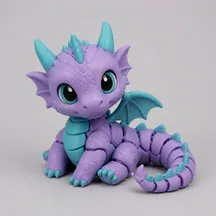


Every model exports as GLB, OBJ, STL, 3MF and FBX — you pick the format after it is done, not before.
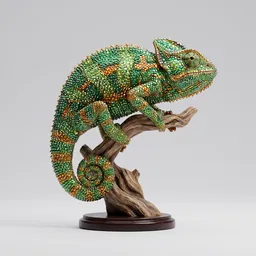
A real Sculptly output from our benchmark run — your result appears here once you upload an image.
Generating uploads your image to our servers. Your first Standard model is free; High Detail and Ultra Detail use credits, and print files cost $1.90 to unlock per model.
- Pick one type of work, price every print from the table below, and sell only models you have the right to sell.
- For custom orders, one customer photo gives you a 3D model you can turn around and check before you print.
- A free size report comes before export: size in mm, triangle count, whether it is one solid, and a rough print time.
3D printing business ideas, by type of work
Small sellers usually start with one of these four types of work. Pick the one that matches what people already ask you for, then add a second later.
- Custom pieces from a customer's photo. The buyer sends a picture of their pet, a mascot they own or a character they invented, and you print one piece made for them. Nothing waits on a shelf, so there is no stock to guess at, and the price is agreed per order.
- Your own designs. Models you draw yourself in CAD, or build from your own sketches. You own the design, so you can sell the print and the file, and a repeat order costs no new design work.
- A local print service. Print other people's files for a fee: replacement parts, prototypes, small runs for clubs and shops. The customer pays for your machine and your care, so the quote needs the price formula below. Check the licence of every file first.
- Selling files. Sell the model rather than the print. It needs a model you made, a print you have tested, and clear terms for what the buyer may do with it. A file nobody test printed can bring refund requests.
Looking for products rather than types of work? See 3D print ideas to sell, each made from a buyer's own photo.
One photo, three settings: what each costs you
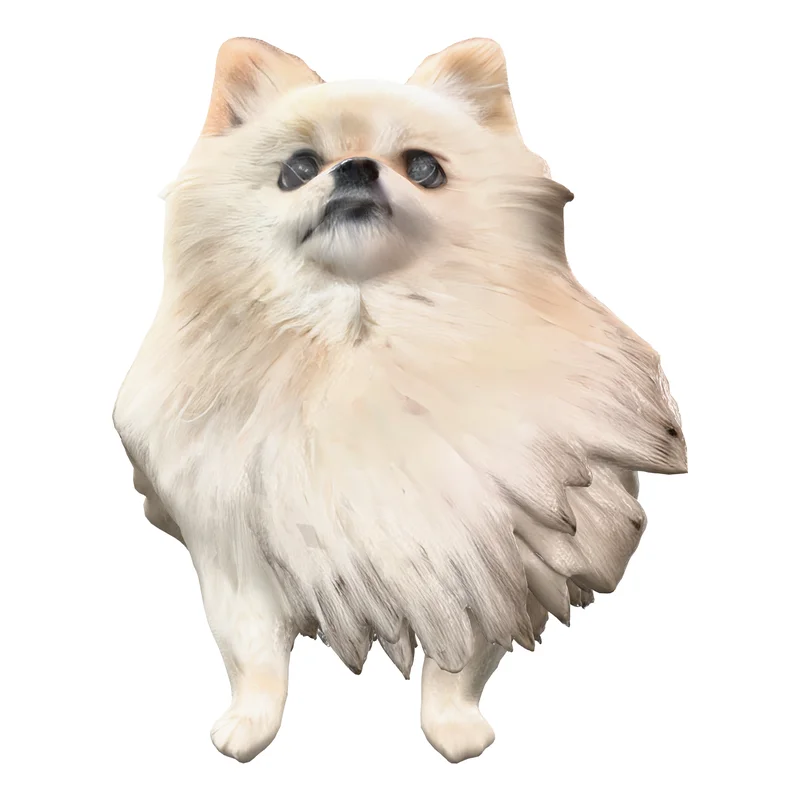
For custom orders, the setting you choose decides how many credits a model uses and how much detail it keeps. The same photo, one run per setting, nothing picked:
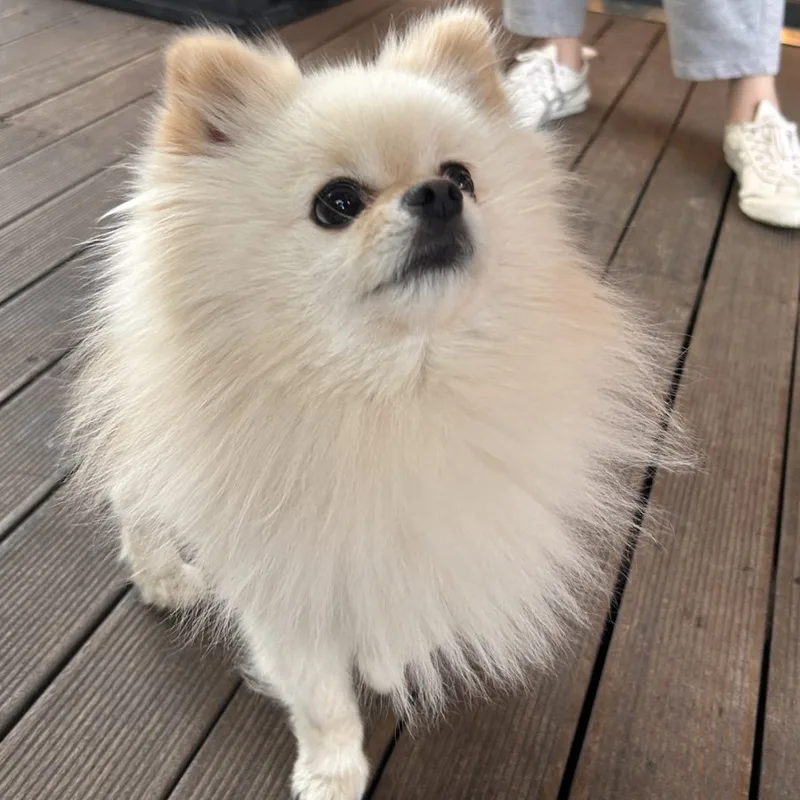 PhotoA pet photo
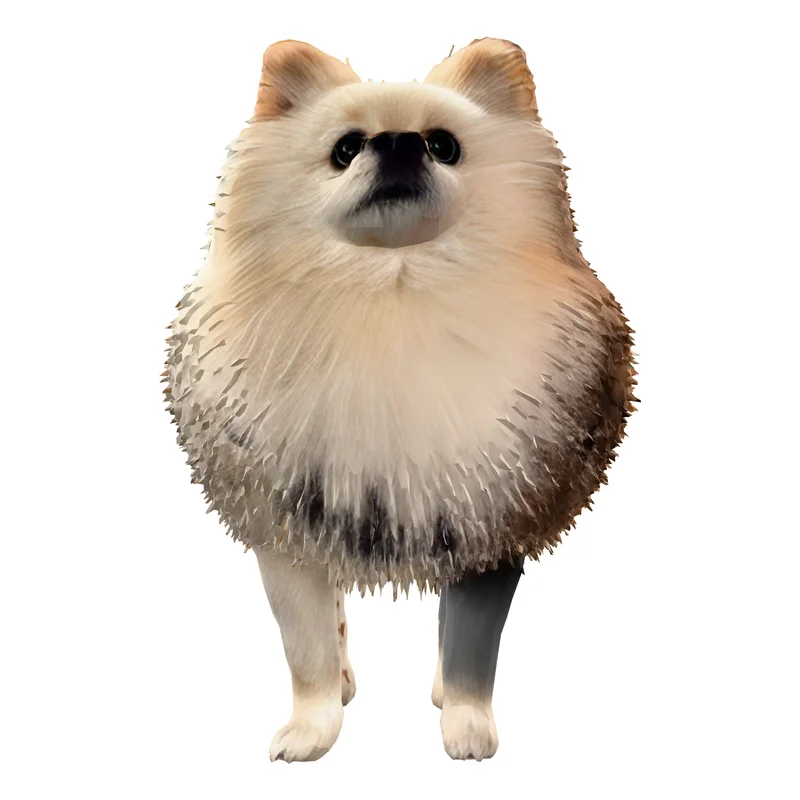 Standard3 credits · 40,000 faces
 High Detail36 credits · 93,000 facesBest for this photo
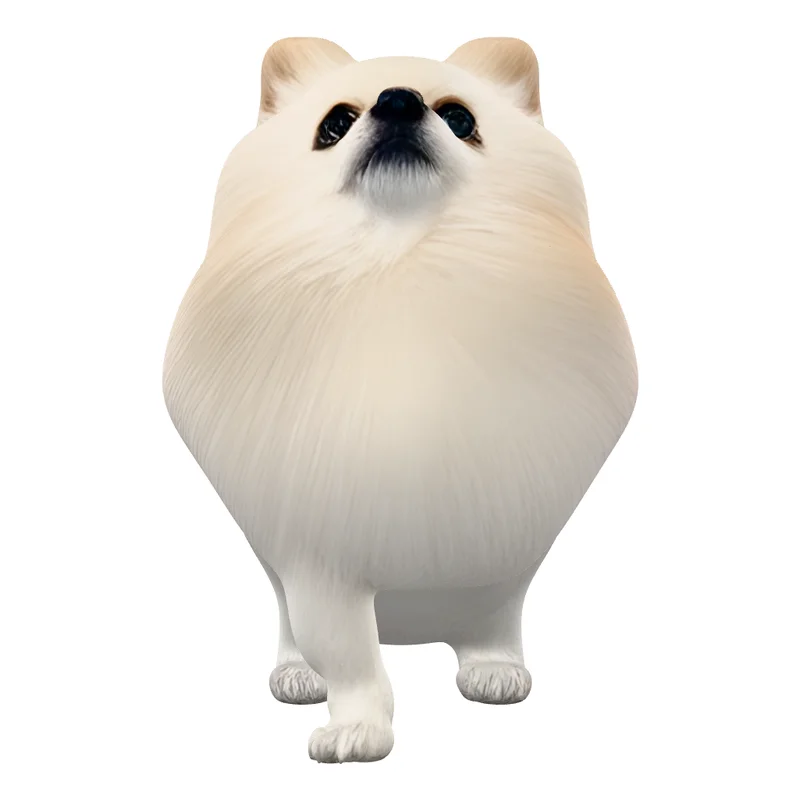 Ultra Detail48 credits · 500,000 faces
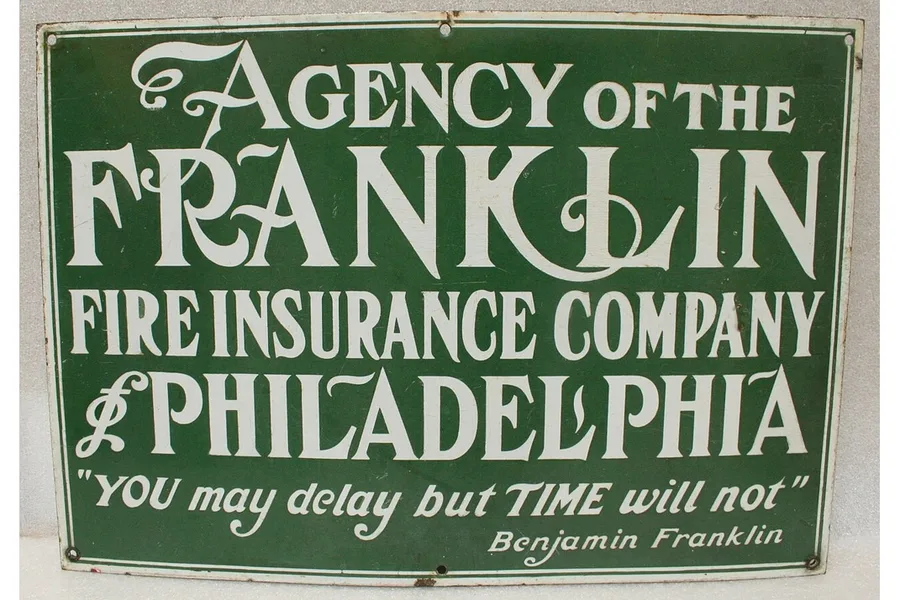 PhotoA sign with lettering
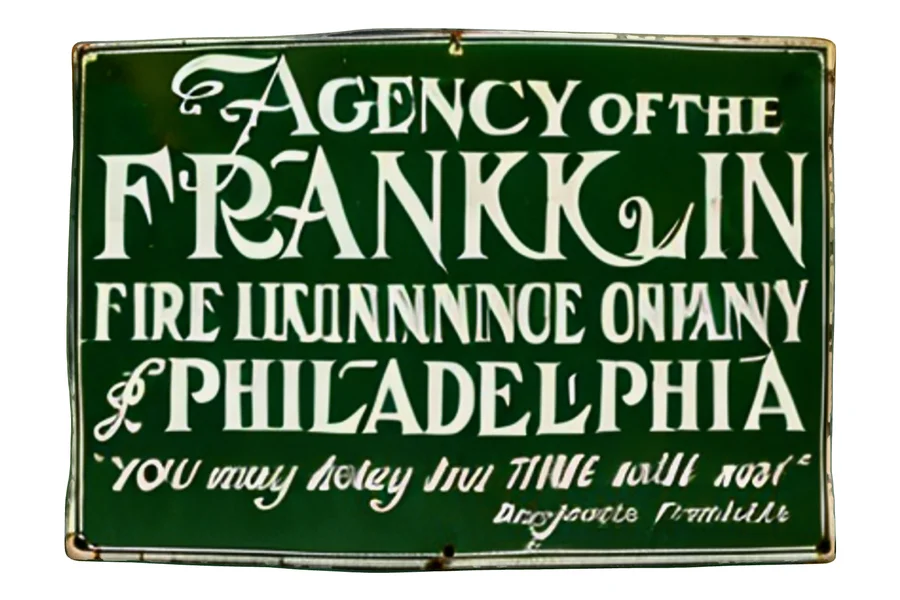 Standard3 credits · 40,000 faces
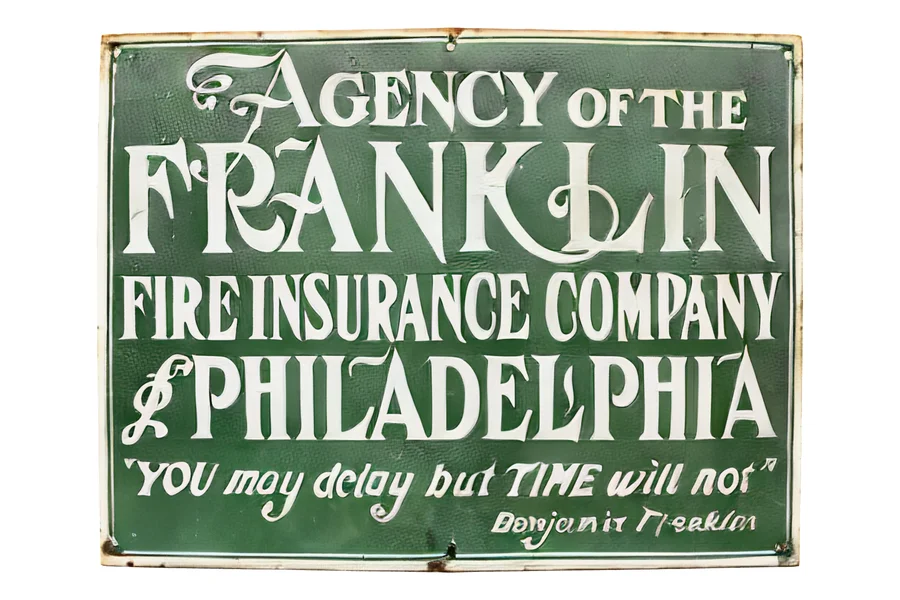 High Detail36 credits · 100,000 facesBest for this photo
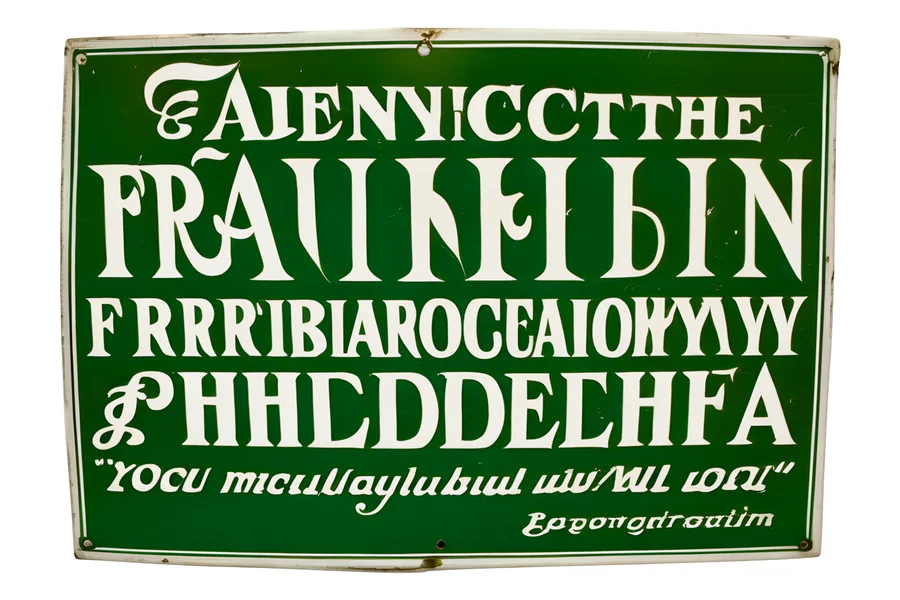 Ultra Detail48 credits · 500,000 faces
One run per setting, nothing picked, same camera for every render. Photo: Yam B Chhetri, WordPress Photo Directory (CC0) · Photo: Missouri History Museum, via Wikimedia Commons (Public domain) Compare what each setting costs
What you need to start
You do not need a workshop. You need these four things, and a product you have printed before you sell it.
- A printer you can keep running. A machine you understand beats a faster one you do not, once an order has a date on it.
- A slicer. It turns the file into the instructions your printer follows, and it is the first place a bad file shows up.
- Material that suits the product. Test each material before you promise a colour or a finish.
- A test print of every product. Print each product once, handle it, and fix what you find before it goes on sale.
How to price a 3D print
Add up every cost line, then add the margin you want. Fill in the last column from your own records. We give no figures for printers or material, because they depend on your machine and where you live.
| Cost line | What it covers | Your number |
|---|---|---|
| Material | The plastic or resin in the print, plus supports, a failed first layer and anything you purge. | ____ |
| Machine time | Hours on the printer, including heating and cooling. Give each hour a share of what the machine cost and what it draws in power. | ____ |
| Your labour | Preparing the file, loading, removing supports, finishing, packing and talking to the buyer. | ____ |
| Platform fee | What the shop or marketplace takes from each sale. Read the platform's current fee page, because fees change. | ____ |
| File cost | The cost of the print file when the model comes from a photo. Print files are unlocked per model. Right now: $1.90 per model. | ____ |
| Retry allowance | Between 2026-09-16 and 2026-10-24, about 93% of generations succeeded, not counting inputs our content check refused. A failed run is refunded automatically, so it costs you time, not credits. Build one retry into your timing; re-running a result you simply do not like does cost credits. | ____ |
The price of one print is the total of the six lines plus your margin. If buyers will not pay that, change the product or the material, not the arithmetic.
Where to sell: shop listings, marketplaces, local and custom orders
Your own shop listing
You can keep more of each sale, and you bring the buyers yourself. It suits products you can photograph and ship the same way every time.
Marketplaces
A marketplace brings buyers, takes a fee and sets the rules. Read each platform's current fees and rules before you list, and put the fee in the table above.
Local and custom orders
Custom orders need no listing at all: a photo, an agreed price and a date. Local markets and clubs work the same way.
Models you are allowed to sell
- Your own CAD designs. Yours to sell, as a print or as a file.
- Downloaded models. Check the licence on each one. Many forbid commercial use, or allow it only with credit to the author.
- Characters, brands and logos owned by someone else. Not without a licence from the owner. Sculptly does not support commercial use of third-party characters.
- Models made on Sculptly. Upload only images you own or may use, and you remain responsible for those rights. An account that has never bought anything must add a "Made with Sculptly" credit with a link when it sells. One purchase of any kind lifts that rule for every model on the account, and personal use never needs the credit. For the exact wording, see the terms and the pricing page.
From a customer's photo to an STL in three steps
- Upload the photo. Use the one your customer sent for this order: one subject, the whole subject in frame, on a clean background. Start with Standard: your first model is free.
- Read the free size report. It gives the size in mm, the triangle count, whether the model is one solid and a rough print time.
- Export the STL. Set the print height in mm; the model is turned to stand upright for printing. Paid STL and OBJ files are rebuilt into a closed solid first, and a model that cannot be fixed is not sold.
Treat every model as a draft. A single photo cannot see the back of an object, so the back is inferred: turn the model around before you print. If a paid export reports an error in your slicer, email us within 30 days with the error and we refund that export. Details are in the refund policy.
Questions about starting a 3D printing business
Is a 3D printing business profitable?
It can be, but we have no data on what sellers earn and will not promise any income. Whether it pays depends on two things you can check yourself. First, whether your price covers every line in the cost table on this page: material, machine time, your labour, the platform fee, the file cost and a retry allowance. Second, whether buyers actually want what you make at that price. Work out the real cost of one print before you list anything, ask a few likely buyers what they would pay, and only then decide whether to scale. If the numbers do not meet, change the product or the material rather than hoping volume will fix it.
How do I start a 3D printing business from home?
Start small and in order. Get one printer you can keep running and a slicer, then choose one product and test print it until you are happy to hand it to a stranger. Pick one type of work from the list on this page, since a single clear offer is easier to price and to explain than several. Fill in the cost table for that product, check the rules for selling where you live, and take your first orders from people you can reach directly, such as friends, clubs and local shops. Buy a second machine only when orders, not hopes, are waiting for it.
What are good 3D printing business ideas?
Four common types of work are custom pieces from a customer's photo, your own designs, a local print service and selling files. Custom pieces suit a seller who likes working one to one, because each order starts from the buyer's own picture and nothing sits in stock. Your own designs reward patience, since the design work is done once and reused. A local print service pays for your machine time and your care, and selling files suits someone who already makes good models. Pick the one that matches what people already ask you for, run it for a while, and add a second type only when the first is steady. For product ideas, see our page on 3D print ideas to sell.
Is 3D printing for business different from running a 3D printing business?
Yes. 3D printing for business means a company uses a printer for its own purposes, such as prototypes, jigs, tools or spare parts, and the output never goes on sale. Running a 3D printing business means selling prints, files or a print service to other people, which brings extra questions: how to price each print, where to list it, what the platform takes, and whether you have the right to sell the model at all. This page covers the second case. If you only want a printer for your own company, the cost table can still help you compare printing in house against ordering parts from someone else.
Can I sell prints of downloaded models?
Only if the model's licence allows commercial use, and many licences do not. Some allow it only with credit to the author, and some allow personal use only. Read the licence on each download, keep a copy or a note of it with your order records, and if the wording is unclear, ask the author or choose another model. Characters, brands and logos that belong to someone else need a licence from the owner, whoever made the 3D model, and Sculptly does not support commercial use of third-party characters. The safest sources are your own designs, models you have written permission to sell, and models made from images you own or are allowed to use.
Do I need a business licence?
It depends on where you live and how you sell. Some places ask for a registration or a tax number even from a small shop, others treat occasional sales as a hobby up to a limit, and rules can differ for selling online, at a market or to a local business. Selling through a marketplace may also bring its own seller requirements. Ask your local authority or a tax adviser before you take your first paid order, and keep simple records of what you sell and what it cost you. We cannot give legal or tax advice, and nothing on this page replaces it, so treat this answer as a reminder to check rather than a ruling.
What does a print file from Sculptly cost?
Your first Standard model is free to generate and preview. Standard uses 3 credits, High Detail 36 and Ultra Detail 48, and credits are only spent when a generation succeeds; a failed run is refunded automatically. The print files (STL, OBJ, 3MF) are unlocked per model, and the price is shown on this page before you upload. Before you pay, a free size report shows the size in mm, the triangle count, whether the model is one solid and a rough print time. The Lite, Starter and Ultra plans include STL export. If a paid export reports an error in your slicer, email us within 30 days and we refund that export.
All Sculptly tools
Make printable geometry
- 3D text generator
Turn a word into loose letters, a name plate, or a keychain.
- Image to STL
Turn a photo into a printable 3D model and export STL.
- Free image to 3D model
See the free image reconstruction workflow and its limits.
- PNG to STL
Trace a logo or silhouette and extrude it with an optional plate.
Convert and prepare files
- 3MF to STL
Extract printable parts from a 3MF as one STL or a zip.
- STL to 3MF
Combine printable meshes in a unit-aware 3MF.
- OBJ to STL
Convert between OBJ and STL in your browser.
- STL simplifier
Reduce triangle count while checking the resulting size.
Inspect and arrange
- GLB viewer
Inspect a GLB model without uploading it.
- OBJ file viewer
Open an OBJ with its MTL and textures, and read its face report.
More on the same steps: turn a photo into a print file with image to STL, see 3D print ideas to sell, compare pricing, or read the FAQ.