Free tool
Free STL to 3MF Converter, with a Printer Bed Check
This STL to 3MF converter turns STL, OBJ or GLB files into one 3MF in millimetres, with every file as its own part, and runs entirely in your browser.
- Several STLs become named parts of one 3MF, side by side.
- The 3MF declares millimetres, so an inch model does not arrive 25 times too small.
- No slicer settings inside: your own printer profile stays selected.
Your parts and their size in millimetres show here after the 3MF is built.
What each slicer does with this 3MF
The file this page writes is a plain 3MF: geometry, millimetres, one named object per file you added, and no printer, filament or print settings. Per the 3MF import code of Bambu Studio, OrcaSlicer and PrusaSlicer (read on GitHub on 2 October 2026), a 3MF without the slicer's own project files opens as geometry only, so the printer profile you have selected stays selected.
| Slicer | What happens on open | Best for |
|---|---|---|
| Bambu Studio | Loads the parts as geometry only and keeps your selected printer, filament and process. Save it as a project afterwards if you want those settings stored with it. | A1, A1 mini, P1S and X1 owners |
| OrcaSlicer | Same reader as Bambu Studio: geometry only, your profile untouched, one part per object. | Mixed fleets and Klipper printers |
| PrusaSlicer | Opens the objects in millimetres. With no Prusa config inside the file, the printer you have selected is used. | MK4S and Core One owners |
| Cura | Reads 3MF geometry through its 3MF reader; your machine and profile stay selected. | Creality and Ultimaker owners |
This STL to 3MF converter does not write finished print projects, such as a MakerWorld 3MF with its creator's filaments, on purpose.
STL vs 3MF: what the converter changes
An STL file is a list of triangles and nothing else. A 3MF file is a zipped XML package that can also say which unit the numbers are in, which triangles belong to which part, and, when a slicer writes it, colours and print settings. Converting STL to 3MF here adds the unit and the part names. It does not invent colour.
| STL | 3MF from this converter | |
|---|---|---|
| Units | None, the slicer guesses millimetres | Declared as millimetres |
| Several parts | Usually one file per part, each at its own origin | One file, each part named and set side by side |
| Colour and settings | No | No (kept out so your profile is not replaced) |
| File size | 50 bytes per triangle, binary | About a quarter of the STL in our tests |
| Best for | Sharing a single part with almost any slicer or CAD tool | Sending several parts, or anything with a known size |
Why an STL arrives tiny or huge
STL stores numbers without a unit. A part drawn 2 inches tall is saved as 2, and slicers read that as 2 mm. A model from an AI generator usually has no real size at all: 25 of our 26 gallery GLBs measure about 1 unit on their longest side. That is why the converter asks for the unit or a target height before it writes the 3MF, and then shows each part in millimetres next to your printer's build volume.
| Printer | Build volume (mm) |
|---|---|
| Bambu Lab A1 / P1S / X1 | 256 x 256 x 256 |
| Bambu Lab A1 mini | 180 x 180 x 180 |
| Prusa MK4S | 250 x 210 x 220 |
| Creality Ender-3 V3 SE | 220 x 220 x 250 |
| Elegoo Neptune 4 Pro | 225 x 225 x 265 |
| Anycubic Kobra 3 | 250 x 250 x 260 |
Sizes are the makers' published build volumes, checked on 2 October 2026. The check also tries each part turned 90 degrees on the bed, because the Prusa MK4S is 250 mm wide but only 210 mm deep.
STL to 3MF converter results on nine of our models
We ran nine Sculptly models through the same code this page uses, each scaled to 100 mm tall. Every 3MF came out between 72% and 75% smaller than the binary STL, because 3MF is zipped and stores each shared corner once, while STL repeats it in every triangle. The 500,000-triangle Ultra Detail bust went from 25 MB to 6.3 MB.
- Ultra Detail bust500,000 trianglesSTL 25.0 MB, 3MF 6.3 MB75% smaller
- Fox figurine94,226 trianglesSTL 4.7 MB, 3MF 1.2 MB75% smaller
- Lion82,136 trianglesSTL 4.1 MB, 3MF 1.2 MB72% smaller
- Dragon45,790 trianglesSTL 2.3 MB, 3MF 639 KB72% smaller
- Knight40,000 trianglesSTL 2.0 MB, 3MF 499 KB75% smaller
- Robot37,872 trianglesSTL 1.9 MB, 3MF 524 KB72% smaller
- Qilin26,606 trianglesSTL 1.3 MB, 3MF 365 KB73% smaller
- Chair16,372 trianglesSTL 819 KB, 3MF 212 KB74% smaller
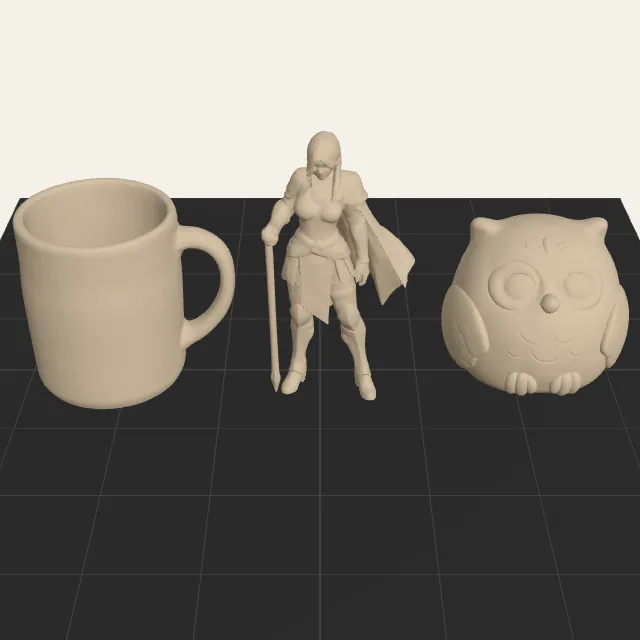
- Mug14,774 trianglesSTL 739 KB, 3MF 199 KB73% smaller
STL to 3MF questions
How do I convert STL to 3MF?
Drop one or more STL files on the converter above, say which unit they were made in (usually millimetres for printing models), pick your printer to see whether each part fits, and press Build the 3MF. The file is written in your browser and downloads as one .3mf with a named object for every STL you added. Open it in Bambu Studio, OrcaSlicer, PrusaSlicer or Cura with File > Import or by dragging it onto the plate.
Is 3MF better than STL?
For printing, usually yes. A 3MF says the numbers are millimetres, keeps several parts in one file with their names, and was about a quarter of the size of the same binary STL in our measurements. STL is read almost everywhere, so it is the safer pick when you send a single part to someone whose software you do not know. Neither format makes a mesh print better on its own: the geometry inside is the same.
What is a 3MF file?
3MF (3D Manufacturing Format) is a zip archive with an XML model inside, defined by the 3MF Consortium for 3D printing. Besides triangles it can carry units, separate objects, colours, textures and, when a slicer saves it, print settings. Bambu Studio and PrusaSlicer use it as their project format, which is why a 3MF downloaded from MakerWorld can change your filament list when you open it.
Can Bambu Studio convert STL to 3MF?
Yes: import the STL, then use File > Save Project As, and Bambu Studio writes a .3mf project that includes your current printer, filament and process. Use this converter instead when you want a neutral 3MF without anyone's settings in it, when you need several STL, OBJ or GLB files combined into one file before they reach a slicer, or when you want to check the size against a bed first.
Does converting STL to 3MF add colour?
No. An STL has no colour to carry over, and this converter writes geometry only so it never replaces the filament setup in your slicer. If you want a 3MF with painted colour slots for an AMS or another multi-material system, start from a picture with the multicolor 3MF generator on this site, or paint the parts in your slicer after import.
Can I convert GLB or OBJ to 3MF here too?
Yes. The converter reads STL, OBJ and GLB, and you can mix them in one 3MF. A GLB is turned from its Y-up axis to the Z-up axis slicers use, and because GLB files from AI generators rarely have a real size, the converter suggests a target height for them. Textures and materials are not kept: the output is the shape only.
Related tools
Cut a heavy mesh to a triangle count before you convert it.
Close open holes the slicer warns about.
Need painted colour slots for an AMS? Start from a picture.
Price the filament and machine time for the parts.