Lite
$8165 credits every month
≈ $0.15 per model
- Any purchase: no attribution, on every model on your account — including the ones you already made.
- 165 credits — 55 Standard or 4 High Detail generations
Pricing
Choose a monthly subscription for regular work, or a one-time pack if you do not want an auto-renewing plan. Credit packs never expire.
165 credits every month
≈ $0.15 per model
then $19/mo · 400 credits/month
≈ $0.14 per model
2,250 credits/month · up to 750 generations
≈ $0.13 per modelLowest per model
| Lite | Starter | Ultra | |
|---|---|---|---|
| Credits | 165 | 400 | 2,250 |
| Standard models | 55 | 133 | 750 |
| High Detail models | 4 | 11 | 62 |
| Per model | ≈$0.15 | ≈$0.14 | ≈$0.13 |
| Credit expiry | Roll over while subscribed | Roll over while subscribed | Roll over while subscribed |
Every paid plan and pack includes API access — same credits, same price, called from your own code. Read the two endpoints.
Ultra is not a hidden “unlimited” plan: the fair-use cap is approximately 750 textured generations per month.
No. Credit packs never expire. Unused subscription credits carry over to the next billing period while your plan is active, and if you cancel, the credits already on your account stay there.
From Account, choose Manage subscription. Stripe’s customer portal provides cancellation without a support ticket, within two clicks from account settings.
Within 30 days after cancellation, you can request a pro-rated refund for unused subscription credits. Unused credits from a one-time credit pack or an unlock bundle are refundable within 30 days of purchase; credits already spent on generations are not returned, and refunding a bundle revokes that model's export unlock. If a billed generation fails or times out due to a platform issue, credits are refunded automatically. See the full refund policy.
Yes, when the input was yours to begin with — your character, your sketch, your photograph. You keep the rights to your uploads and to the models generated from them. What we will not help with is likenesses of third-party characters: those are not yours to sell either, whoever generated the mesh. Details in the terms.
Your first model is free, and no card is required to try it.
Try Sculptly →Standard costs 3 credits and gives you the silhouette, the proportions and the colour — enough to check a pose, block out a scene, or decide whether a photo is worth pursuing at all. High Detail costs 36 credits and keeps lettering, logos and faces legible — trophies, signs, name plates, a pet's face.
 PhotoA pet photo
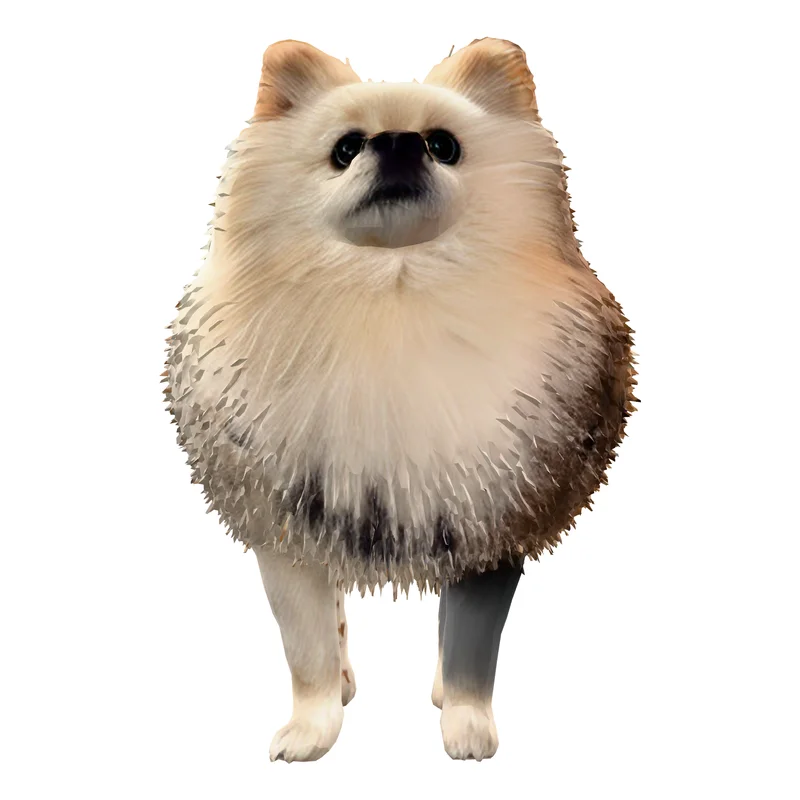 Standard3 credits · 40,000 faces
 High Detail36 credits · 93,000 facesBest for this photo
 Ultra Detail48 credits · 500,000 faces
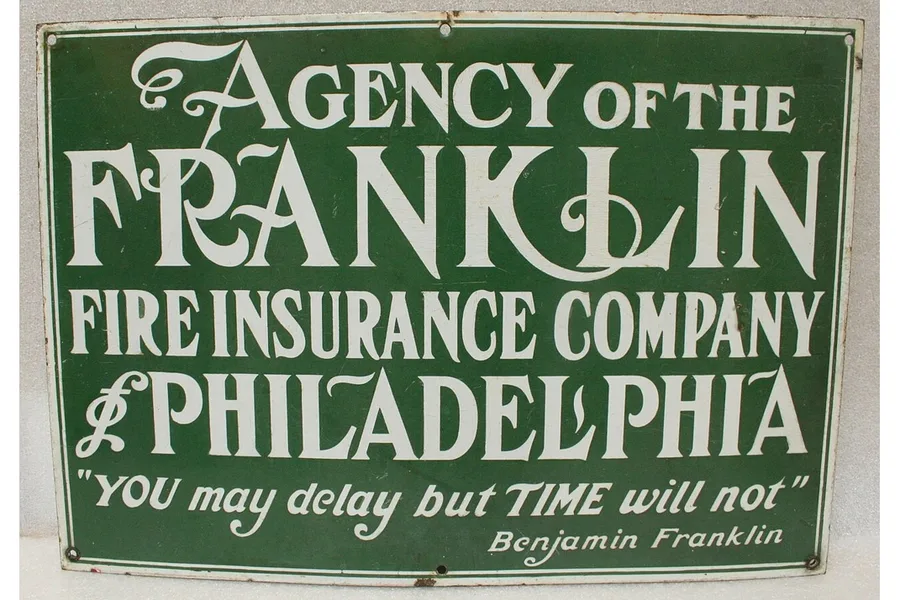 PhotoA sign with lettering
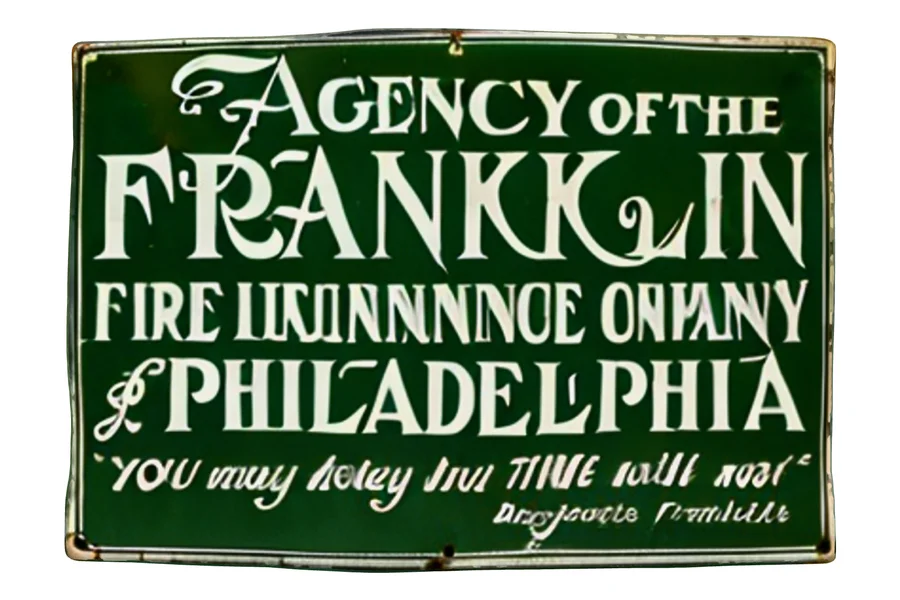 Standard3 credits · 40,000 faces
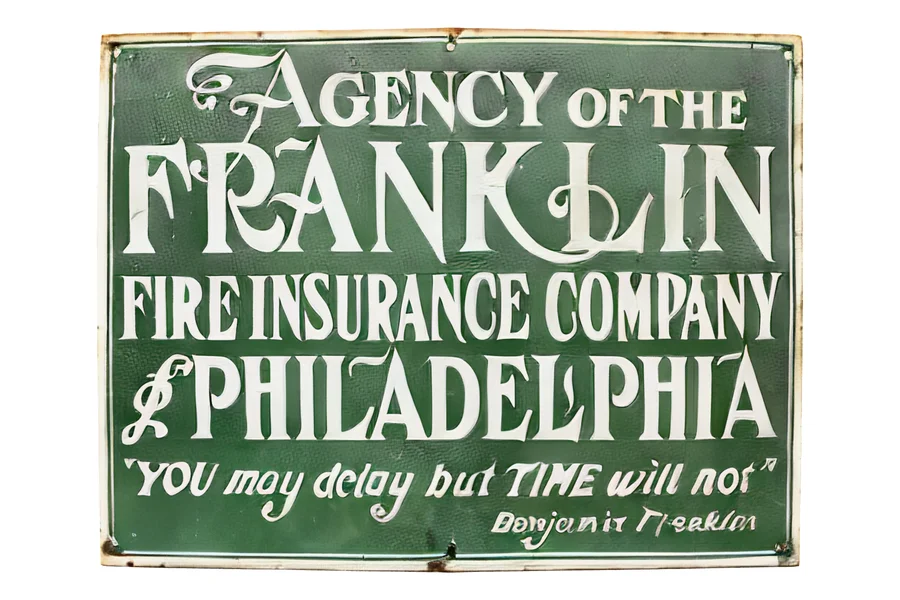 High Detail36 credits · 100,000 facesBest for this photo
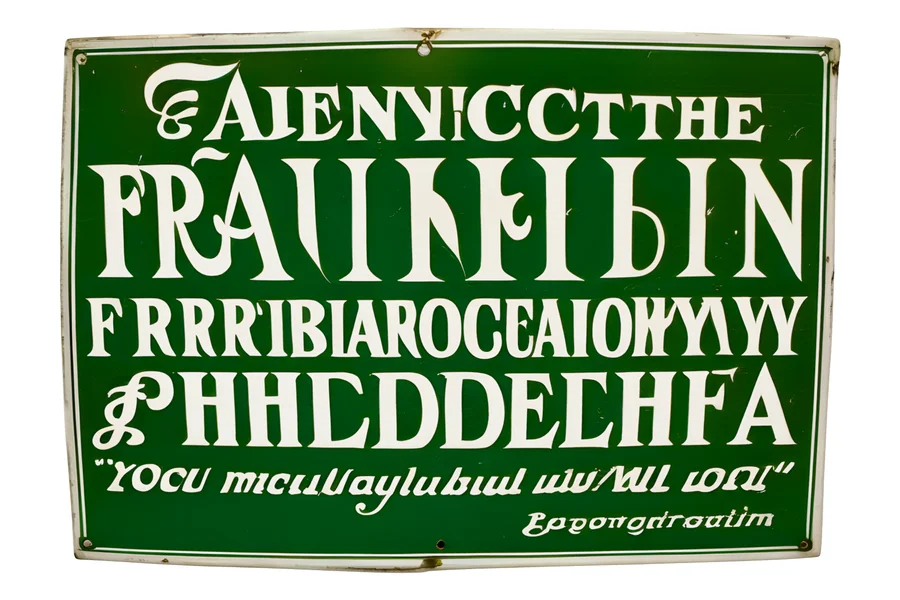 Ultra Detail48 credits · 500,000 faces
One run per setting, nothing picked, same camera for every render. Photo: Yam B Chhetri, WordPress Photo Directory (CC0) · Photo: Missouri History Museum, via Wikimedia Commons (Public domain)
Ultra Detail costs 48 credits and carries about fifteen times more geometry than Standard, which is where fingers, hair and small carved parts live — for statues and figures you will look at up close. The GLB keeps all 500,000 faces, and STL and OBJ exports are rebuilt solid on a finer grid than Standard, the same one High Detail uses. It is the slow one: usually 3 to 5 minutes, up to 15 when the queue is busy, and we email you when it is ready. It is for shape, not text: on the sign above it scrambles the lettering that High Detail keeps.
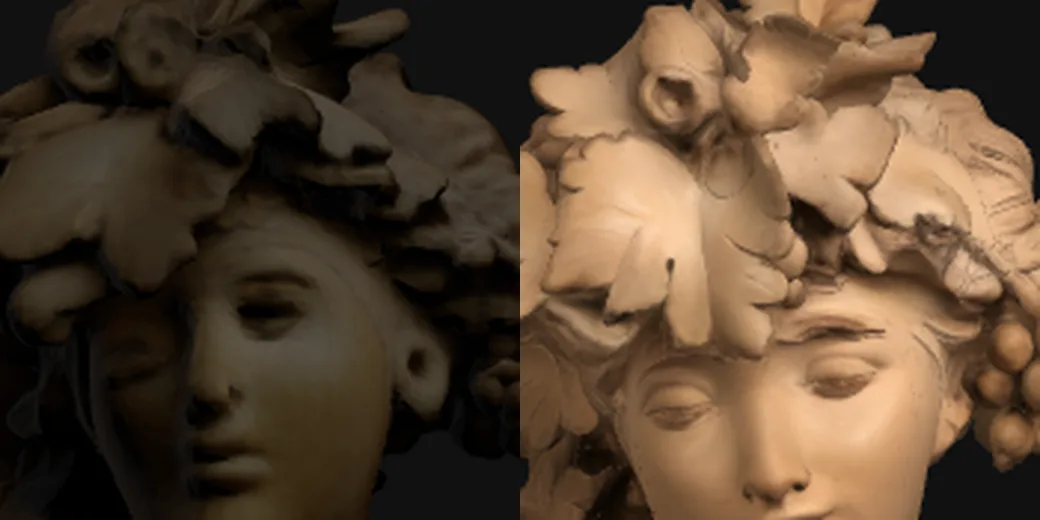
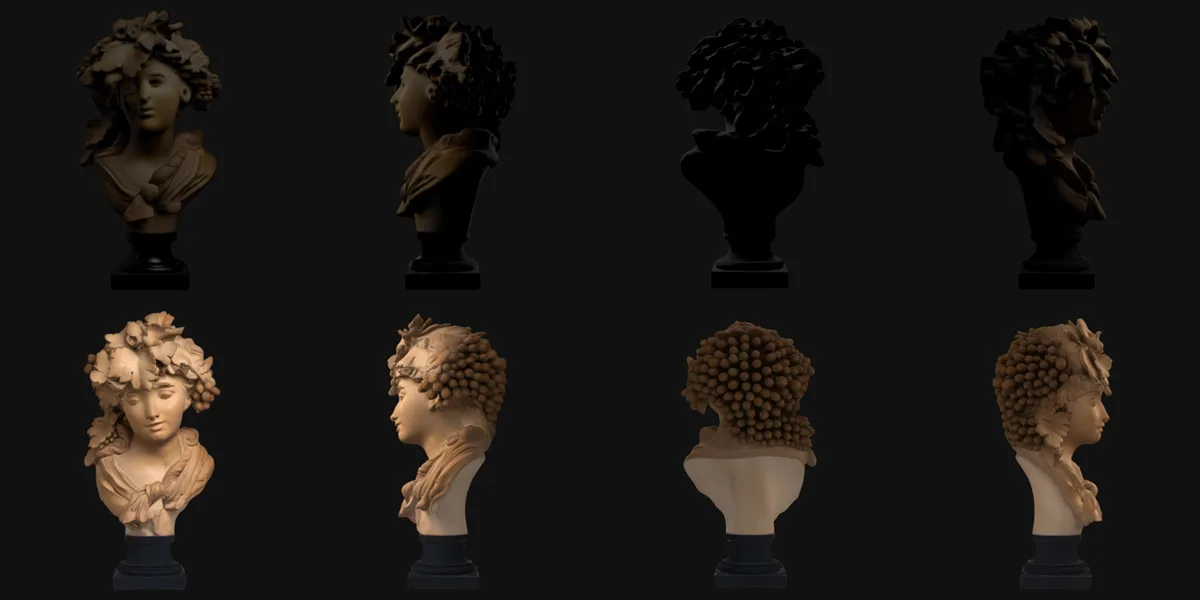
When Standard is the right answer: a simple form — a mug, a box, a smooth prop — has little fine detail to recover, so Standard and the paid settings come out close enough that paying twelve times as much buys very little. Spend the credits where there is something to see.
Source photograph: Bacchante (Grapes or Autumn), ca. 1874, terracotta. The Metropolitan Museum of Art, Open Access (CC0). Chosen because it fails in the way a photograph of a face and a cluster of small parts fails — not because it flatters the result.
The free GLB is for viewing: it can have open edges and loose fragments that a slicer refuses. The paid STL and OBJ are rebuilt as one closed solid, with an optional flat base, before you download them.
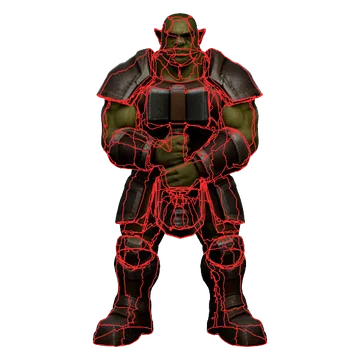
Free GLB
Print-ready STL
| Check | Free GLB | Print-ready STL |
|---|---|---|
| Holes (open edges) | 9,272 | 0 — closed solid |
| Separate pieces | 250 | 1 |
| Flat base | No | Optional 2 mm cut |
| Colour texture | Yes | No colour (print geometry) |
A Standard generation costs 3 credits, a High Detail generation 36 and an Ultra Detail generation 48, whether they come from a subscription or a one-time pack. There is no separate currency, and credits are spent on generating a model — never on downloading one you already made. Downloading your model as GLB needs a free account and nothing more; the one exception is the high-detail preview, which is the comparison run you can look at on any plan but keep only on a paid one.
OBJ and STL are a separate one-time unlock rather than a per-download charge — either for the one model in front of you, or for every model on your account, past and future. Before you unlock anything, the free size report tells you what you would be buying: the model's measurements in millimetres, its triangle count, whether a slicer will read it as one solid piece, and a rough print-time estimate. Files are rotated upright for the print bed, and you can set the printed height in millimetres on the way out.
If a model is not watertight — roughly half are not, and a slicer will not treat those as a solid — the export rebuilds it as one. The rebuild has to land within 1% of your original shape, measured against it, or we do not do it: you get your own geometry back and we say so. On a typical model the rebuild comes back about 0.1% away from the original. There is no extra charge either way; a file a slicer refuses is not the thing you bought.
Credits are only spent on work that completes. If a generation fails or times out because of a problem on our side, the charge is reversed automatically rather than requiring a support ticket. That refund is issued per attempt, so a model you retry twice does not quietly cost you twice.
A pack is the honest choice for a one-off project: it never expires, so unused credits keep until you need them, and nothing renews behind your back. A subscription is cheaper per model and tops back up every month, which matters when converting images to 3D models is a recurring part of the work rather than a single afternoon.
The per-model figure on each card above is the plan price divided by how many textured generations it covers, so the two columns can be compared directly rather than by list price.
Your design, in three dimensions
Whether it starts as a sketch, a photo, or an original character, Sculptly turns your own work into a mesh you own outright — no subscription required to keep the files you have already made.
After a model is made, the tools below work on it. Most need an active paid plan; each run then takes a small number of the same credits you generate with, and those credits roll over and never expire. A run that fails is refunded.
Together they cover the print line in one workbench: repair the mesh, hollow it with drain holes, split it into parts with dovetail connectors, colour each part for a multicolour 3MF, set the print orientation, and open the result in your slicer.
Weighing us against the bigger names? The Meshy vs Tripo vs Sculptly cost comparison prices a model on all three, with sources and dates. For why the free tier and the browser tools stop where they do, read why we put our own limits on the tool pages.