For 3D printing
Image to STL
Upload a photo and get a 3D mesh, free and no card — the result is a draft, not a certified watertight solid, so this page checks it for open holes before you print.
Generating uploads your image to our servers. Our seven free tools never do — this one has to.
Generating and previewing your model is free; downloading it as .stl costs $1.90 to unlock this model.
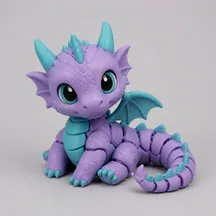


Every model exports as GLB, OBJ, STL, 3MF and FBX — you pick the format after it is done, not before.
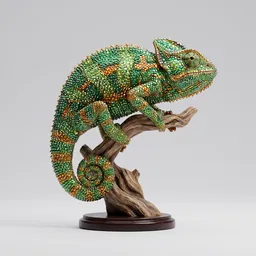
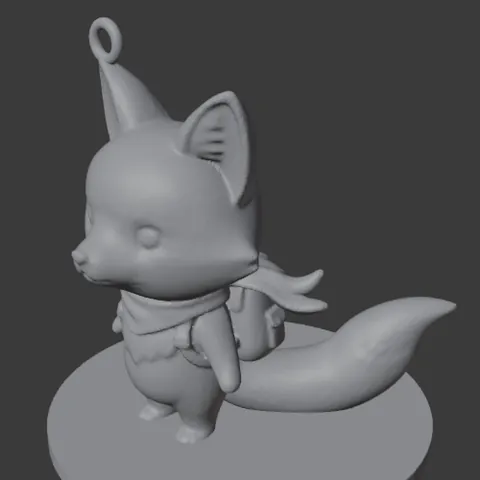
A real Sculptly output from our benchmark run — your result appears here once you upload an image.
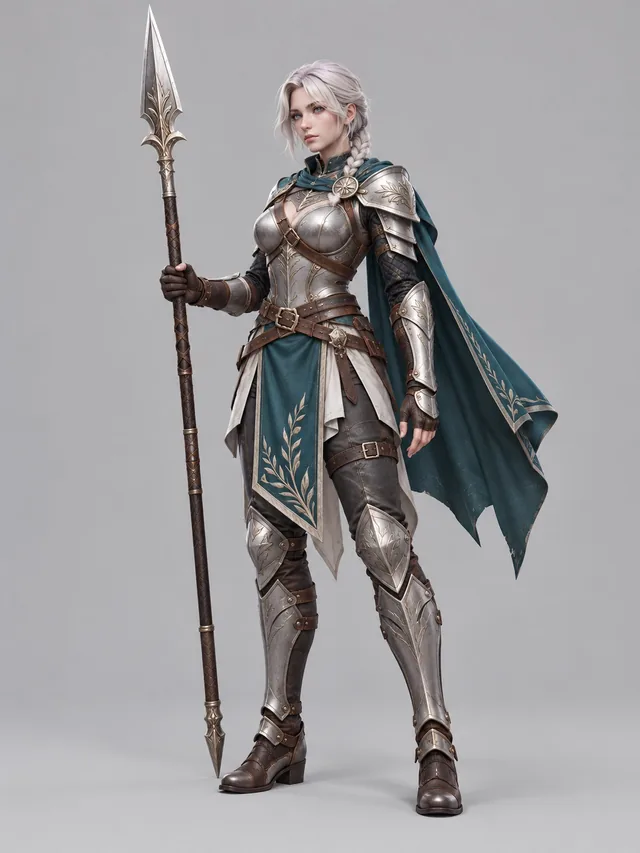
Three steps
How the image to STL conversion runs.
Upload one image
PNG, JPG, or WEBP up to 10 MB. One subject, fully in frame, on a plain background is the most dependable input.
Generate the mesh
Most generations finish in two to four minutes, and the page reports progress while the model is being built.
Download the STL
You preview the model free in the browser; .stl and .obj are a paid unlock on the same generation, either for this one model or for every model on your account.
Before you slice
The open-hole check is free, and it is in the flow.
After a model finishes, a hole-detection pass runs on the result and checks it for open boundaries: edges used by only one triangle. Self-intersecting geometry, flipped normals, and disconnected islands are out of scope, so give the file a look in your slicer before you commit to a long print.
Format choice
Why STL and not GLB or OBJ.
STL stores triangles and nothing else — no materials, no textures, no UVs. That sounds like a downside until you open a slicer, which wants exactly that and ignores everything else anyway. Every slicer worth using reads STL, which is why it is the safe handoff format for printing. If you want the colours and PBR materials kept with the mesh, the GLB from the same generation is free in some regions and part of the per-model unlock in others; if you want plain geometry that almost any 3D application opens, OBJ shares the same paid unlock as STL, so once you have bought one you have both.
Honest by design
What an image to STL conversion cannot do.
A single image cannot see the back
Hidden surfaces are inferred, not observed. That is where open boundaries and non-manifold geometry usually come from, so treat any STL export as an editable draft rather than a print-ready promise.
Some subjects lose fidelity
Clear single subjects tend to work best. Pixel-art hard edges can blur, and detailed mechanical or vehicle surfaces can lose fidelity.
Your image is uploaded to generate
Generation runs on a server, so the image you upload here leaves your device. That is different from our seven browser-only tools — the GLB and OBJ viewers, the OBJ to STL, STL to 3MF and 3MF to STL converters, the STL simplifier and the 3D text generator never send your file anywhere.
Already have a mesh? The OBJ to STL converter and the STL simplifier run in your browser, and the gallery shows what finished models look like.
Frequently asked questions about image to STL
What is the difference between STL, GLB, and OBJ — which should I download?
STL carries geometry only: no colours, no materials, no UVs. That is exactly what a 3D-printing slicer wants, which is why it is the format to take to a printer. Download GLB instead if you want the PBR textures kept with the mesh for Blender, Unity, or SketchUp — that one stays free. OBJ and STL are both a paid unlock on the same generation, so picking between those two costs nothing extra once you have unlocked either.
Can I 3D print the generated STL directly?
Not as a guarantee. Single-image reconstruction cannot see hidden surfaces and can leave open holes or non-manifold geometry, so the STL is an editable draft. This page checks the result for open boundaries after generating. It does not fix self-intersecting geometry, flipped normals, or disconnected islands — those still need manual work in a mesh editor before you slice.
How much can I convert for free?
An anonymous visitor can run one lifetime free demo per IP, with no card. After signing up, an account receives 3 credits right away — 1 generation. That is 2 free generations in total, then the plans. Subscriptions start at $8/mo, or $9 for a one-time credit pack that never expires.
Can I use the STL commercially?
You may use models generated from images you own or are authorised to use. You remain responsible for rights in your source image and for how you use the output. One condition while an account has never bought anything: credit Sculptly — “Made with Sculptly” plus a link to sculptly3d.com — wherever you publish or sell it. Any purchase removes that for every model on the account, including ones made earlier. Personal use never needs it.
Is my image uploaded to a server?
Yes. Generating a 3D model runs on a server, so the image you upload on this page does leave your device. This is deliberately different from our seven free tools — the GLB viewer, OBJ viewer, OBJ to STL converter, STL to 3MF converter, 3MF to STL converter, STL simplifier and 3D text generator all run entirely in your browser and have no upload endpoint at all.
What input formats and sizes are supported?
PNG, JPG, and WEBP images up to 10 MB. A clear image with a single visible subject is the most dependable input; busy backgrounds, heavy motion blur, and objects cropped at the edge of the frame are the three things that most often produce a mesh you will want to regenerate.
The GLB viewer runs entirely in your browser on any GLB file — not only on models made here.
Inspect a GLB →Is your picture a flat logo, a name or a sign rather than an object? AI image to 3D redraws lettering; the PNG to STL tracing tool keeps every letter exactly as drawn.
Real numbers from our pipeline
What we measured on 1,943 real generations.
Between October 12 and November 10, 2026, visitors to this site (bots, test accounts and our own runs removed) submitted 1,943 images, and 1,627 of them (83.7%) came back as a model. The GPU part took 35 seconds at the median and 50 seconds at the 90th percentile. The whole wait, from submitting the image to the model being ready, was 140 seconds at the median and 200 seconds at the 90th percentile, over 1,649 runs timed since October 12. So the two to four minutes quoted above is about right: a typical wait is two to three minutes, and busy hours stretch it toward four.
For printing, holes are the number that matters. Our in-browser check finished on 1,407 models since October 12, and 1,405 of them (99.9%) had no open boundary loops. That is not yet a solid a slicer accepts: loose fragments and non-manifold edges are separate problems, which is why the paid STL export tries to rebuild the mesh as one closed piece, and refuses rather than move your shape more than 1%. On the 312 models rebuilt since October 12, the surface moved a median 0.06% from the original shape. For why a single photo leaves holes at all, read why single-image reconstruction makes holes, or compare this route with photogrammetry and CAD in the guide to making a 3D model from images.
Comparing tools before you print? Meshy vs Tripo vs Sculptly: what a 3D model costs and what you can print.
Printing pieces for customers? 3D print ideas to sell, from pet figurines to sign replicas.
Selling what you print? How to start and price a 3D printing business.