Free tool
Free Online GLB Viewer
This GLB viewer opens a .glb or .gltf file in 3D and lists what is inside it: triangles, size in metres, and every texture with its byte cost. The file stays in your browser and no account is needed.
Need a model to view? Every card in our gallery links to a real Sculptly-generated .glb you can download and try here. Gaussian splat (.ply) files do not open here, since a splat is not a mesh and this viewer cannot read it. Ready to 3D print what you're looking at? Generate an STL from a photo, or use the free OBJ to STL converter when you already have an OBJ file, and open an OBJ with its materials in the OBJ file viewer.
What the GLB viewer reports about a file
A GLB is one binary file holding three things: a JSON description of the scene, the geometry, and the images used as textures. Once a model is on screen, this GLB viewer reads that JSON and the first bytes of each image and prints what it found under the model.
- Geometry
- Triangles and vertices across every mesh. Our six samples below run from 1,954 triangles for an axe to 94,226 for a High Detail figure, so the same viewer can be showing files 50 times apart.
- Size
- Width, height and depth in metres, the unit glTF uses. AR on a phone places the model at this size, so a mug that reads 12 metres tall will fill the room.
- Textures
- Each image with its format, pixel size, byte cost and the material slot it feeds (base colour, normal, metal/rough). The share line says how much of the whole file is texture, which is the number to look at when a GLB is too heavy. Each one can be saved as it is stored, which is how you extract textures from a GLB.
- Compression
- Draco, meshopt or KTX2 need a decoder in whatever opens the file next. This viewer has them; some game engines and older importers do not.
Why a GLB opens grey, and which cause you have
A model that shows up grey or without its textures came up more than any other problem when we read Reddit threads about GLB files. The file report narrows it to one of four causes. Only the first one means the file looks wrong in every program.
| What you see | What the report shows | What to do |
|---|---|---|
| Flat grey or one solid colour everywhere | Textures: 0, and no vertex colours | The file carries no colour at all, so every viewer shows the same thing. Re-export with textures embedded, or bake the colour into a texture first. |
| Grey, and the file is a .gltf | Textures listed as separate files | The images live next to the .gltf and a single file cannot bring them along. Export as .glb, which packs the images inside. |
| Texture present, colours smeared or grey | Textures: 1 or more, UVs: none | There are no coordinates telling the renderer where the image goes. Unwrap the mesh (UV) in Blender and export again. |
| Right here, grey after importing elsewhere | Base colour texture with UVs, nothing flagged | The file is fine; the other program dropped the material. In Blender, check the Principled BSDF has the image connected to Base Color. |
Six generated GLB files, opened and measured
These are real Sculptly outputs from our gallery, measured with the same report on 30 September 2026. The pattern surprised us: across all 25 GLB files in our gallery, the texture is more than half the file in 20. Open any of these six in the viewer above to check the numbers yourself.
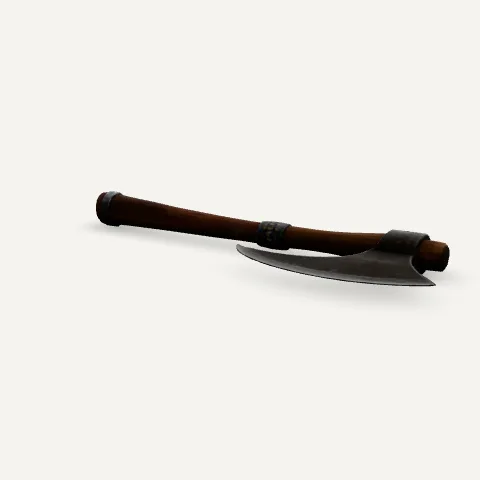
Hand axe
894 KB, 1,954 triangles
1 PNG, 1024 x 1024, 94% of the file
Sculptly output, one photo. Under 2,000 triangles, yet almost 1 MB. The mesh is tiny; the file is nearly all texture.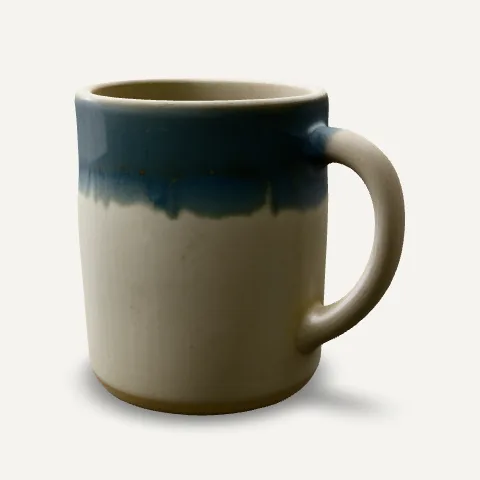
Ceramic mug
1.3 MB, 14,774 triangles
1 PNG, 1024 x 1024, 75% of the file
Sculptly output, one photo. A typical generated object: one material, one lossless PNG, three quarters of the bytes in that PNG.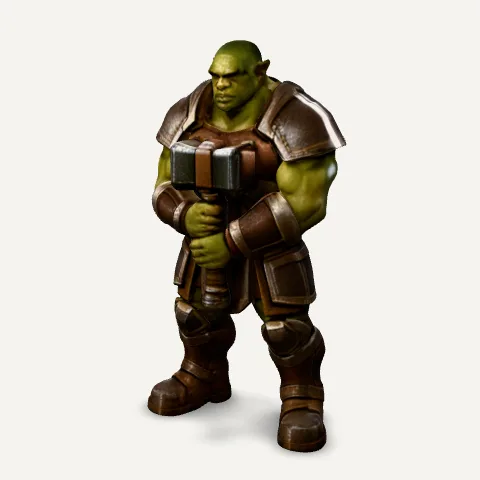
Orc warrior
4.4 MB, 40,000 triangles
1 PNG, 2048 x 2048, 73% of the file
Sculptly output, one photo. The only 2048 texture in our gallery, and the heaviest file. Doubling the texture side quadruples its pixels.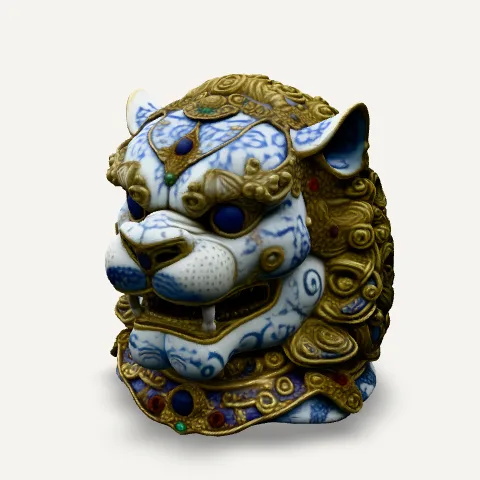
Porcelain lion
3.4 MB, 82,136 triangles
1 PNG, 1024 x 1024, 39% of the file
Sculptly output, one photo. Dense carved detail pushes the triangle count past 80,000, so here the mesh, not the texture, is most of the file.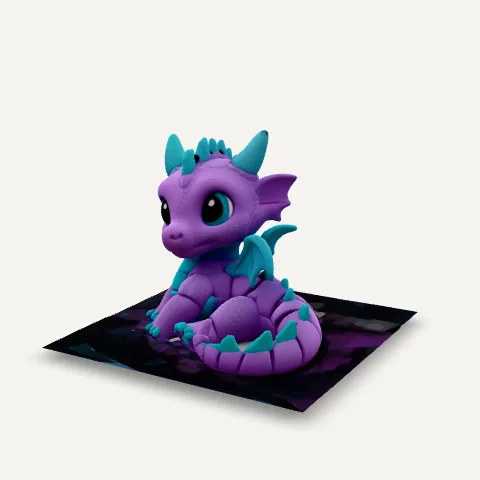
Flexi dragon
729 KB, 22,002 triangles
1 JPEG, 1024 x 1024, 24% of the file
Sculptly output, re-packed with glTF-Transform. Here the texture is stored as JPEG. At 175 KB it is a fraction of the roughly 1 MB PNG the other one-photo files carry.
Fox adventurer
2.4 MB, 94,226 triangles
3 JPEG, 1024 x 1024 (colour, normal, metal/rough), 11% of the file
High Detail tier, three photos. The most triangles here and three full PBR maps, yet the textures are only 11% of the file because all three are JPEG.
How much smaller a GLB gets with WebP textures
Because the texture is most of a generated file, re-storing it is the cheapest way to make a GLB smaller, and the mesh stays untouched. We ran the free glTF-Transform command line on four of the samples: npx @gltf-transform/cli webp in.glb out.glb --quality 90. Same pixels, same triangles, different image format.
| Model | PNG texture | WebP texture | Smaller by |
|---|---|---|---|
| Hand axe | 894 KB | 113 KB | 87% |
| Ceramic mug | 1.3 MB | 377 KB | 72% |
| Orc warrior | 4.4 MB | 1.5 MB | 65% |
| Porcelain lion | 3.4 MB | 2.2 MB | 33% |
The lion gains least because its 82,000 triangles were already most of the file. Before and after of the orc, rendered with the same camera: we could not tell them apart.
PNG texture, 4.4 MB file 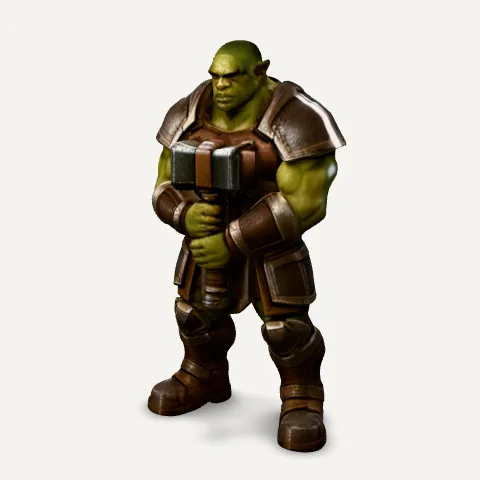
WebP texture, 1.5 MB file
One catch: a WebP texture marks the file as needing the EXT_texture_webp extension. Browsers read it and the Blender 5.2 importer lists it as supported; check any game engine or older importer before you switch.
Other online GLB viewers, and when each is the better pick
Every viewer here opens a GLB for free. They differ in where your file goes and what they tell you about it. Checked against each tool's own page, docs or source code on 30 September 2026.
| Viewer | Where the file goes | What it reports | Best for | Not ideal for |
|---|---|---|---|---|
| This GLB viewer (Sculptly) | Stays in your browser | Triangles, vertices, size in metres, each texture with pixels and bytes | Finding out what a file is made of, saving its textures, AR on a phone | A .gltf that needs its separate .bin and image files |
| three.js glTF Viewer (gltf-viewer.donmccurdy.com) | Stays in your browser (object URLs) | glTF-Validator report: errors, warnings, draw calls, vertices, triangles | Checking an export against the glTF spec, dropping a whole .gltf folder | Safari, where its README says drag and drop is limited |
| Online 3D Viewer (3dviewer.net) | Stays in your browser, per its manual | Vertices, triangles, size, volume, surface area | CAD formats such as STEP, IGES and IFC next to GLB | Texture weight: its details panel reports geometry only |
| Babylon.js Sandbox (sandbox.babylonjs.com) | Stays in your browser; also installs as an offline app | Full scene inspector with a statistics pane | Digging into materials, lights and animation timing | A quick yes or no; the inspector is built for developers |
| Khronos glTF Sample Viewer | Stays in your browser | Statistics and a built-in validator with error and warning counts | Seeing how a PBR material should look by the reference renderer | Casual viewing; it exposes renderer settings most people do not need |
| glb.ee | Uploaded to its server, which is how it makes share links | Not confirmed | Sending a model to someone as a link, with comments | Confidential files, since the file leaves your machine |
GLB viewer questions
Is my file uploaded to a server?
No. The file is read on your device and shown from a browser-local blob URL, and this page has no upload endpoint to send it to. The report below the model is worked out in the same way: the page reads the JSON part of the GLB and the first bytes of each image to learn its size, without decoding anything or sending it anywhere. You can check this yourself by opening a file with your network turned off after the page has loaded.
Why does my GLB file look grey or have no textures?
There are three usual causes, and the report tells you which one you have. If it lists no textures and no vertex colours, the file has no colour to show and every viewer will show it grey. If the textures are listed as separate files, you opened a .gltf whose images were not brought along; export a .glb instead. If there are textures but no UVs, the mesh has no coordinates telling the renderer where the image goes. If the model looks right here but grey in another program, the file is fine and that program dropped the material.
How do I open a GLB file on Windows now that 3D Viewer is gone?
Microsoft removed 3D Viewer from the Microsoft Store on July 1, 2026, so it can no longer be installed, and its own deprecation notice points people to the Babylon.js Sandbox instead. Any browser viewer does the job, including this one: drop the file on the box at the top of this page, and it opens without installing anything. Paint 3D and 3D Builder, the other two Windows apps that used to open 3D files, were removed from the Store in 2024.
Can I extract the textures from a GLB file?
Yes. After a GLB opens, each embedded image in the report has a Save button that downloads it exactly as it is stored inside the file, a PNG as a PNG and a JPEG as a JPEG, with no re-compression. The name says which material slot uses it, such as base colour or normal. A .gltf keeps its images as separate files already, so there is nothing to extract from it; the report lists their names instead.
How do I test a GLB file before I send it to someone?
Open it here and read the report under the model. Check that the triangle count suits where it is going (a web page or a phone game wants far fewer than a render), that the size in metres is sensible, since a 40 metre mug means the scale is off, and that no colour warning appears. For a spec-level check of the file structure, the three.js glTF Viewer and the Khronos Sample Viewer both run the official glTF-Validator.
What is the difference between GLB and GLTF?
Both are the same glTF 2.0 format. A .gltf is a JSON text file that points to separate .bin geometry and image files, which is handy while editing. A .glb packs the JSON, the geometry and the images into one binary file, which is why most tools, including Sculptly, export GLB by default and why a lone .gltf often opens grey. This viewer opens both, but a .gltf only shows fully when it has its images embedded.
Is there a file size limit?
This page sets no limit, because the file never leaves your device. The practical limit is your browser and graphics memory: files of 100 MB or more can be slow to open on a phone. If a file is heavy, the report shows how much of it is texture. In our six samples that share ran from 11% to 94%, and converting PNG textures to WebP cut the files by 33% to 87%.
Does this GLB viewer work on mobile, with AR?
Yes. It runs in the phone browser, and on supported Android and iOS devices an AR button appears on the model. Tapping it hands the file to the system AR viewer so you can place the model in the room at its real size in metres. The size line in the report is the size AR will use, so check it first if the model appears far too big or too small.
Can I view animated models?
Yes. If the file contains animation clips, a play and pause control appears under the viewer and the report shows how many clips there are. Only one clip plays at a time. None of our six generated samples is animated, because image-to-3D output is a still mesh; rig and animate it in Blender or Mixamo first if you need movement.
Sculptly converts a single image into a real GLB, OBJ, or STL mesh in two to four minutes.
Try Sculptly →